

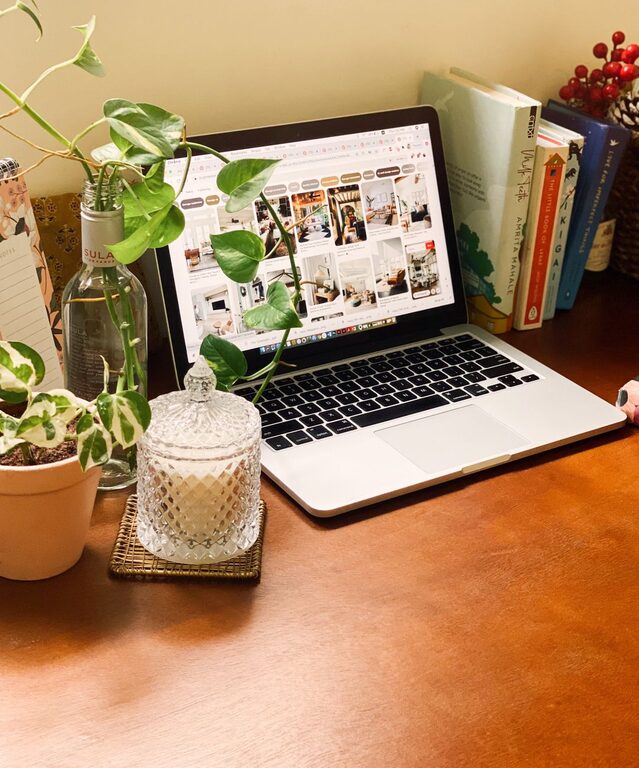
Creating a cozy and inviting home workspace is essential for anyone working or studying from home. A well-designed space can improve focus, increase motivation, and make your workday much more enjoyable. Whether you have a dedicated room or a small corner, this guide will help you transform your workspace into a comfortable and inspiring place.
Choose the Right Spot
The first step in setting up a cozy workspace is choosing the best spot in your home. Ideally, pick a location with:
– Natural light: Sunlight helps boost mood and reduces eye strain.
– Minimal distractions: Find a quiet area away from noisy parts of your home.
– Enough space: Ensure there’s room for your desk, chair, and any equipment you need.
If you don’t have a separate room, even a small nook or corner near a window can work well.
Invest in Comfortable Furniture
Comfort is key in a workspace you’ll enjoy spending time in. Focus on:
– Ergonomic chair: Look for one that supports your back and encourages good posture.
– Desk size: Choose a desk that fits your work materials but doesn’t crowd the space.
– Adjustable setup: Consider items like adjustable monitor stands or keyboard trays to reduce strain.
Don’t be afraid to add cozy touches like a soft cushion or a footrest to make sitting more comfortable.
Personalize Your Space
Adding personal touches makes the workspace inviting and uniquely yours. Some ideas include:
– Artwork or photos: Hang inspiring images or family photos on the wall.
– Plants: Greenery adds life to the room and can improve air quality.
– Decor: Items like candles, small sculptures, or decorative lamps can make the space feel warm.
Try to keep decorations simple to avoid clutter, which can distract from work.
Organize for Productivity
A cluttered desk can hinder productivity. Keep your workspace tidy by:
– Using storage solutions: Drawer organizers, shelves, and boxes keep supplies in order.
– Cable management: Use clips or sleeves to keep cords neat and out of the way.
– Daily clean-up: Spend a few minutes at the end of each day putting things back in place.
Having everything you need within reach but organized saves time and reduces stress.
Optimize Lighting
Good lighting is essential for comfort and focus. Here’s what to consider:
– Natural light: Position your desk near a window if possible.
– Task lighting: A desk lamp with adjustable brightness and direction helps prevent eye strain.
– Ambient lighting: Soft overhead lights or floor lamps create a warm atmosphere.
Avoid harsh, direct lighting or glare on screens.
Incorporate Comfort Elements
Adding a few comfort elements can enhance the inviting feel of your workspace:
– Soft textiles: A cozy throw blanket or cushioned chair pad add warmth.
– Temperature control: A small fan or heater keeps the environment comfortable.
– Scent: Lightly scented candles or essential oil diffusers can create a calming atmosphere.
Be mindful of any allergies or sensitivities when adding scents.
Set Boundaries to Separate Work and Home
To maintain a healthy work-life balance, set clear boundaries:
– Designate the space as “work only” when possible.
– Use a room divider or curtain if sharing space with others.
– Create a routine to signal the start and end of the workday, like opening and closing a laptop case or covering your desk.
These strategies help your brain switch between work mode and relaxation.
Maintain Regular Breaks and Movement
Even the coziest workspace benefits from breaks:
– Stretch regularly to prevent stiffness.
– Take a short walk or do light exercises.
– Use natural light breaks to rest your eyes.
Integrating movement keeps energy levels up and improves focus.
Final Thoughts
Creating a cozy and inviting home workspace doesn’t require a complete overhaul. By choosing the right spot, investing in comfortable furniture, personalizing your environment, and keeping things organized, you’ll build a space that supports your work and feels like a pleasant place to be. Remember, your workspace should work for you—adapt and adjust as needed to find what makes your day easier and more enjoyable.