

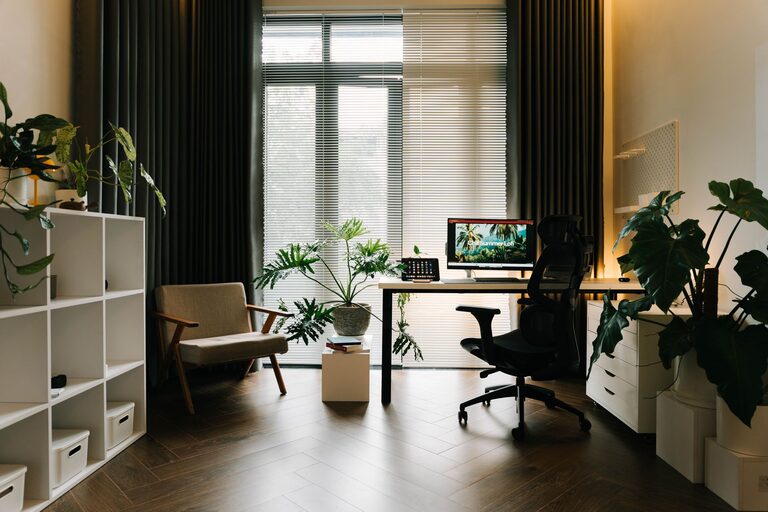
Creating a home office that’s both comfortable and productive is essential for anyone working remotely or managing tasks at home. A well-designed workspace can help you focus, reduce stress, and improve your overall work experience. In this post, we’ll explore practical tips to set up a home office that meets your needs and helps you stay motivated throughout the day.
Choose the Right Location
Selecting the best spot for your home office is the first step toward success. Ideally, find a quiet area with minimal distractions. It could be a spare room, a corner in your living room, or even a spot near a window.
– Consider natural light: Working near a window can provide natural light, which boosts mood and focus.
– Minimize noise: Choose a place away from heavy foot traffic or household noises.
– Access to power outlets: Make sure the area has enough outlets for your computer, printer, and other equipment.
Invest in Ergonomic Furniture
Comfort plays a big role in productivity. Using the right furniture can prevent discomfort and keep you focused.
– Ergonomic chair: Choose a chair that supports your lower back and encourages good posture. Adjustable height and armrests are helpful features.
– Desk height: Your desk should be at a height where your arms can rest comfortably at a 90-degree angle while typing.
– Monitor placement: The top of your monitor should be at eye level to avoid neck strain.
Organize Your Workspace Effectively
A clutter-free environment makes it easier to concentrate and reduces stress.
– Use storage solutions: Shelves, drawers, and filing cabinets help keep papers and supplies organized.
– Desk accessories: Desk organizers or trays can hold pens, notes, and other small items.
– Cable management: Use clips, ties, or sleeves to keep cords neat and prevent tangling.
Optimize Lighting
Proper lighting reduces eye strain and helps maintain energy levels.
– Use a mix of natural and artificial light: Natural light is best, but also include adjustable desk lamps or overhead lights.
– Avoid glare on screens: Position your monitor perpendicular to windows or use blinds to reduce screen glare.
– Choose the right bulbs: Soft white or daylight bulbs with adjustable brightness can create the most comfortable ambiance.
Personalize Your Space
Adding personal touches to your workspace can make it more inviting and motivate you.
– Add plants: Houseplants improve air quality and create a calming environment.
– Decorate thoughtfully: Use artwork, photos, or inspirational quotes that uplift your mood.
– Choose calming colors: Light blues, greens, or neutrals can create a peaceful atmosphere.
Manage Distractions
Maintaining focus takes effort, especially in a home environment.
– Set boundaries: If you live with others, explain your work hours and request quiet time.
– Use noise-canceling headphones: These can help drown out distracting sounds.
– Schedule breaks: Taking regular breaks prevents burnout and helps maintain productivity.
Use Technology to Your Advantage
The right tools can make your work smoother and more organized.
– Reliable internet: Ensure your internet connection is fast and stable.
– Organizational apps: Use calendars, to-do lists, or project management tools to stay on track.
– Backup solutions: Protect your work with regular backups or cloud storage.
Maintain a Healthy Routine
Your work environment affects your habits, so develop routines that support wellbeing.
– Take stretch breaks: Stand up, stretch, or walk around every hour.
– Stay hydrated and nourished: Keep water and healthy snacks nearby.
– Set a clear schedule: Start and end work at consistent times to maintain balance.
Final Thoughts
Designing a comfortable and productive home office takes some planning, but the benefits are worth it. By selecting the right location, investing in ergonomic furniture, managing distractions, and personalizing your space, you can create an environment that supports your work and wellbeing. Remember, a home office is not just a physical space—it’s a place where focus and creativity thrive.